

双电阻部件
Two Resistor Component 工具用于模拟接触在 PCB 上的各种电子部件的热传导,或电子部件与 PCB 之间的热传导。使用该工具的步骤如下。
- 从功能区中的
Sources下拉列表中单击Two-Resistor Component工具。将显示Two-Resistor Component属性管理器;请参阅图 34。
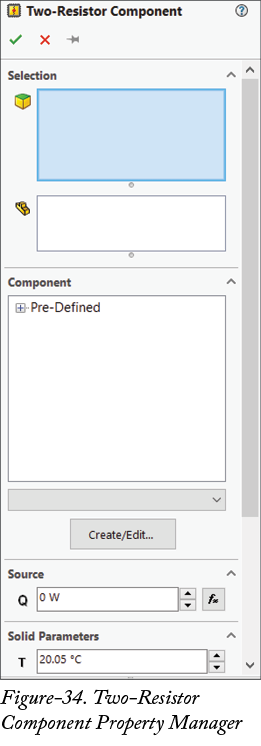
- 选择嵌入部件的面。
-
单击
Components to Apply the Two-Resistor选择框,并选择产生热量的电路部件。 -
从属性管理器的
Component部分中的列表中选择所需部件。 -
单击
Source部分的编辑框,并指定电子部件的热生成率值。 - 如前所述设置其他参数,并单击 OK 按钮。